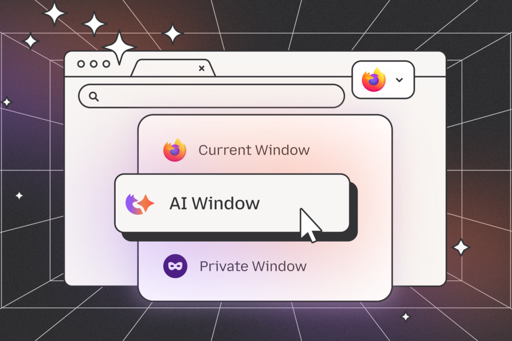
We recently shared how we are approaching AI in Firefox — with user choice and openness as our guiding principles. That’s because we believe AI should be built like the internet — open, accessible, and driven by choice — so that users and the developers helping to build it can use it as they wish, help shape it and truly benefit from it.
Noteworthy, Librewolf pre-disables the AI nonsense for you. (Local offline translations, the only actually useful feature that uses LLMs, is kept.)
Even that offline translation is annoying to me. I speak more than one language and Firefox constantly offering to translate for me.
There is an option for “Never translate website X.” and “Never translate language Y.” But there is no option for “Never translate anything. Fuck right off!”
Wait, this is LibreWolf we’re speaking about. Have you unchecked these two? (see screenshot)

UPDATE: The upper checkbox seems to flip
browser.translations.enableinabout:config. Librewolf even demands you do a full browser restart after unchecking. Combined with the name of the property, I think it’s a win for you! I mean, that this thing really disables translations from ever executing.UPDATE 2: Admittedly it’s not pre-disabled though. But clearly exposed in the settings.
Wait, I was talking about Firefox.
Thanks for the information. I will switch over someday.
You speak every language?
Even if I understand french and English, and both are disabled from suggesting a translation; I don’t speak German and I find using it to translate in place without giving my data to Google is pretty good.
Librewolf also just adds patches on top of a Firefox release. It’s fine if you want a browser that works out of the box but it’s still Firefox.
boooo
I’m already seeing sites telling how to block FF’s AI baby steps … which I discovered were already present in the FF I use. https://equk.co.uk/2025/10/28/firefox-forcing-llm-features/
Who knows how badly they’ll mess themselves up by not being -completely tranparent- about this stuff and -not- making it really easy to disable. It’s still possible to download older versions of FF to fall back on … in case they lose their minds.
In Librewolf there is no AI ^^
At least not out-of-the-box. Dunno if you can dig it up via about:config. Not via normal Settings I think.
I wish there was a fork of librewolf almost exactly the same, but focused on website compatibility > privacy.
Basically librewolf but preconfigured for ease of use as much as possible.
That way I could have both installed on my system side by side.
Why does Firefox need an integrated LLM?
deleted by creator