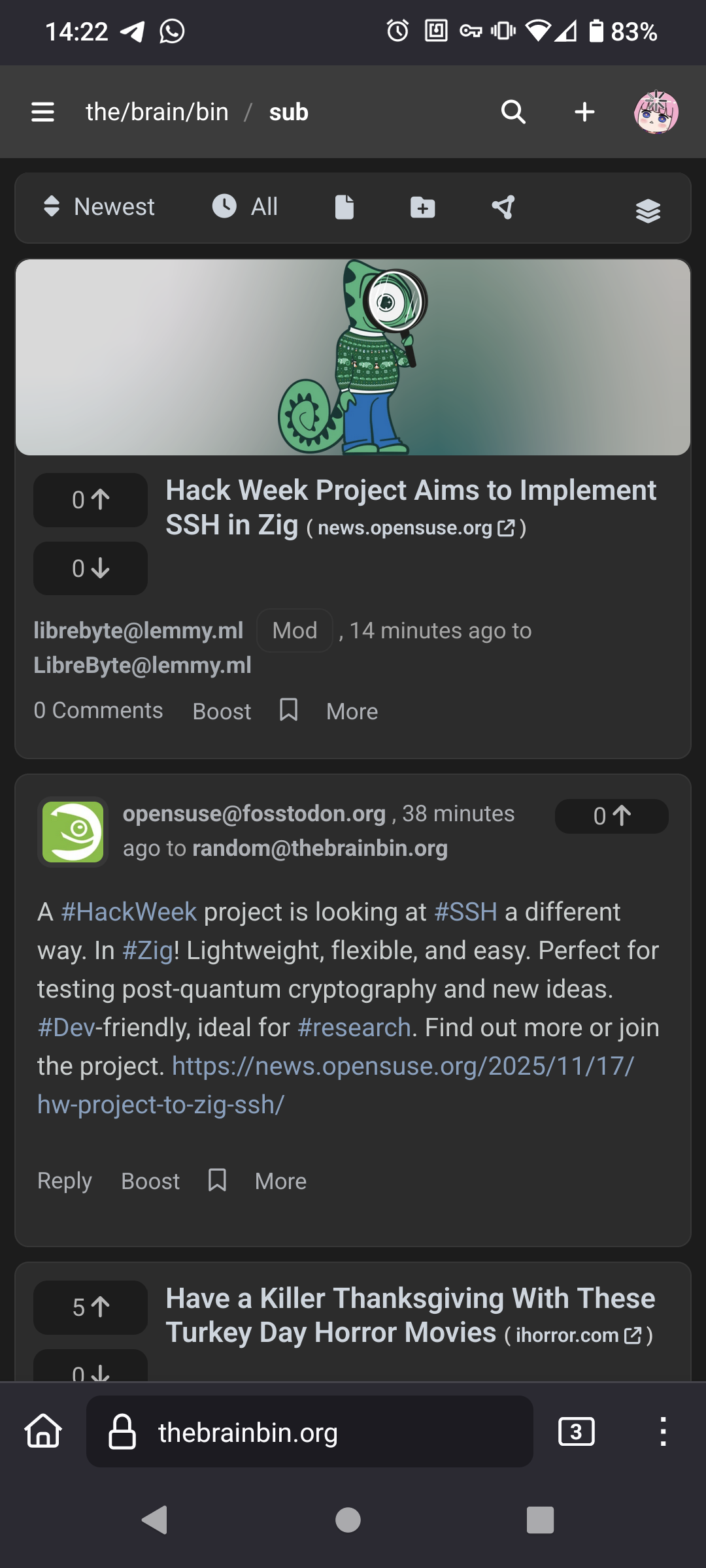
Must’ve been a recent change because somewhat frequently I’m using it on the go and just now it started appearing for me.
Also banners appear on the top of communities now too. =D
The posts that I’ve seen so far seem to be lacking context that’s available when visiting the original on the home instance.
That is, these posts look like the first comment made by the OP in a thread below their main submission, but the main submission isn’t visible.
Very disorienting. I hope there’s a fix on the way.
Using Mastodon, it’s a similar behavior there, and equally mildly annoying. Least bad in that sense imo is Misskey, as when the post is a reply, the one it replies to is partially loaded, though Misskey has so much visual noise it is disorienting in other ways.
I’ve been looking into how to accomplish this too… because it is a UI/UX problem and I am very bad at designing user interfaces.
Mixing them like so works, although it’s hard because then it minimizes the size of topics (since it is just the title.) It means microblog content get a bit of a UI boost due to on screen size.
Limiting the max height of microblog posts and showing a snippet of the threaded content OP is another way, but that makes the page more feed-like and less of a “topic listing”, which isn’t always the way to go either.
For reference, NodeBB also mixes threads and microblog posts. We do this by generating a title from microblog posts. It’s not the best solution either.
Ye. Back when I used Feeder (some Android RSS reader), it was a similar struggle as each feed loads their data differently and I would try to find the least bad of the display modes.
Yes, those were features in the most recent release, although I can’t find the announcement post offhand.
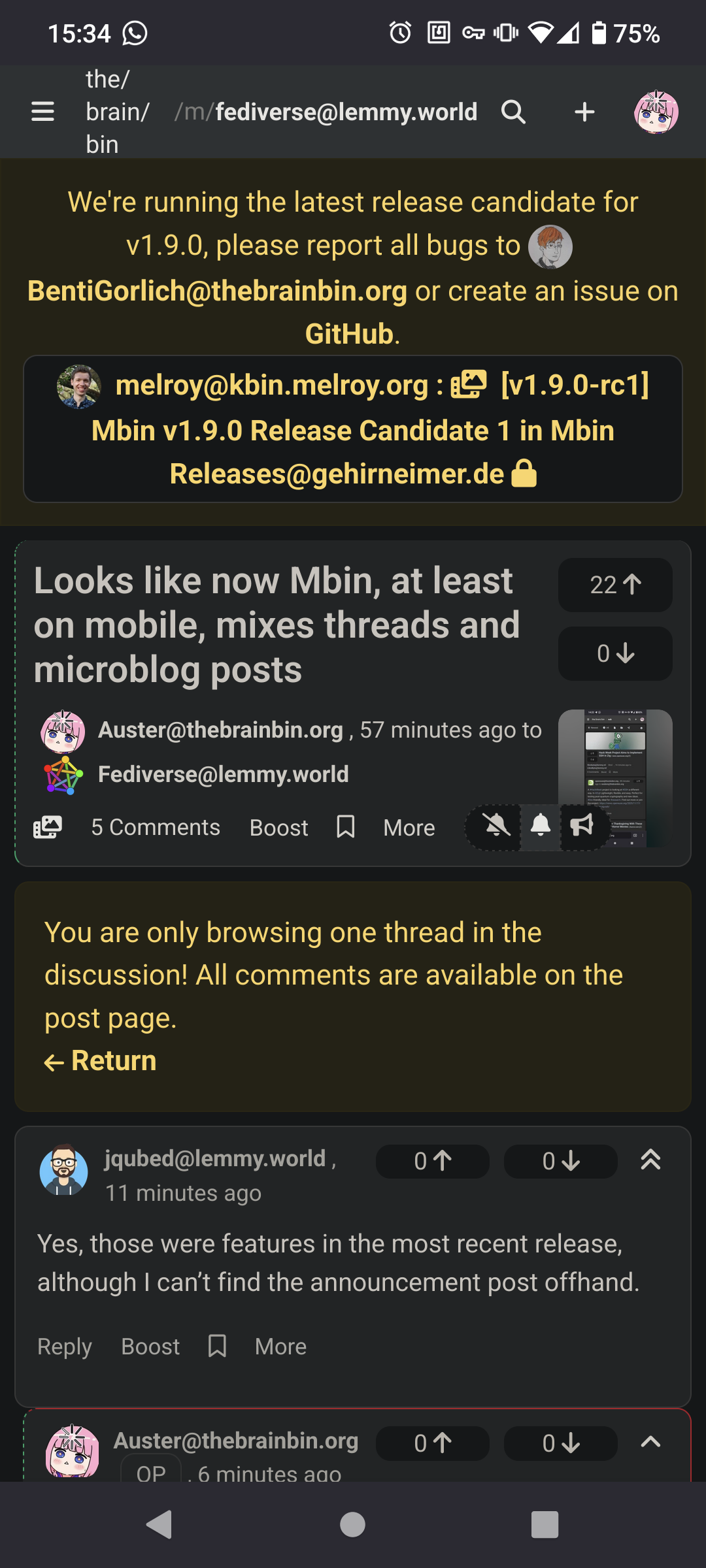
Dunno at what moment they pinned it, but it appears on my instance:
https://thebrainbin.org/m/mbinReleases@gehirneimer.de/t/1213265/v1-9-0-rc1-Mbin-v1-9-0-Release-Candidate-1Pinned and appears globally, I mean, which after a reload now also appears on mobile:
Is there a way to disable this? I’ve never cared for microblogs.
I don’t see anything on either https://thebrainbin.org/#settings or https://thebrainbin.org/settings/general, and on desktop it isn’t loading combined for me so I can’t test Ublock Origin filters either.
On a magazine it appeared, so using it as basis:
Threads appear as
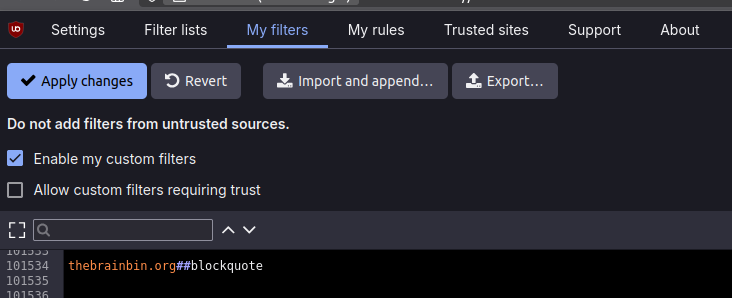
articlesin the page’s source code. Microblog posts appear asblockquote.
So you should be able to hide them, at least with Ublock Origin, with#blockquote, e.g. for mine,thebrainbin.org#.Like this in the respective tab of the dashboard (the menu the 3 gears icon from UbO open):
Do you like the setting to be opt-out so “all” will be the default (like now). Or should we make this combined frontpage an opt-in feature (default will stay “threads” like before)?
I honestly didn’t expect that there needed to be a setting for this… But I mainly/only use the “sub” feed, and if you don’t want microblogs there, just don’t follow people posting them 😅
I exclusively browse all, blocking magazines/communities that I really don’t want to see.
Yeah, that’s what I expected. I just don’t so I didn’t consider it…
In my case I do also use “sub” feed. But I still want to see only threads by default. I do use microblogs as well, but if I want to see posts, I click on the Microblog menu.