- cross-posted to:
- selfhosted@lemmy.world
- selfhosted@lemmy.world
- cross-posted to:
- selfhosted@lemmy.world
- selfhosted@lemmy.world
Honey, I Shrunk The Vids is an overengineered oversimplified system-agnostic frontend for FFMPEG. Built with assistance from Claude, but don’t let that stop you reading - I’ll explain why.
Predendum 6/MAR/26: Yes, I’m using genAI - specifically Claude - to help me build and improve this application. But, I believe I’m using genAI differently than the majority of projects. For one thing, I’m not blindly copy-pasting output and crossing my fingers that it works. I read the output, looking for things I know are wrong, and try to fix it; if I can’t, I ask what I’m doing wrong, and then I fix it. When I encounter errors, I’m reading the error output and if I know how to fix it I do it myself. I’m trying to actually learn, but I do that best by diving in and fixing the mistakes I make. I test informally* on the hardware I have available, which is two Windows PCs, and sometimes my friend with a 2016 Mac will do a test run for me to confirm stuff works. (*by “informally”, I mean I don’t write test cases. I know how, but they’re repetitive and I hate them and I’m not doing it for my personal projects or I’ll end up hating my hobbies.)
My goal in posting my projects is not to have other people audit my code for me, nor do I want kudos or approbation (except for any jokes you see. Those are all me). I’m posting what I’ve got when I’ve got it largely working, in case other people find it useful, and that’s it. I do hope that if people see something I could refactor or conventions I should be adhering to, they’ll drop me a (civil) note about it so I can keep it mind. I appreciate feedback and advice, but I’m not expecting it.
Thanks for reading, I hope you find HISTV useful!
This is a followup to a post I made yesterday, about a silly little Windows application I’d made for batch transcoding files. I wanted something that I could just dump my files onto without having to muck about with Handbrake or Tdarr - post here, for those curious: https://piefed.ca/c/selfhosted/p/568748/honey-i-shrunk-the-vids-a-windows-transcoding-frontend-for-ffmpeg
So I spent today making my silly little Windows application a silly little platform-agnostic application. I rewrote the whole thing in Rust and JavaScript with a webview frontend, and apparently Github lets you compile binaries for quite the range of target platforms, so I have compiled binaries available for Windows, Linux, and Mac (Intel/Apple Silicon). It’s got a dark theme because of course and a light theme because I guess, also it’s themeable because why the hell not. I’m pretty pleased with how it’s coming along - if anyone decides to give it a go, please let me know if you find issues!
screenshots
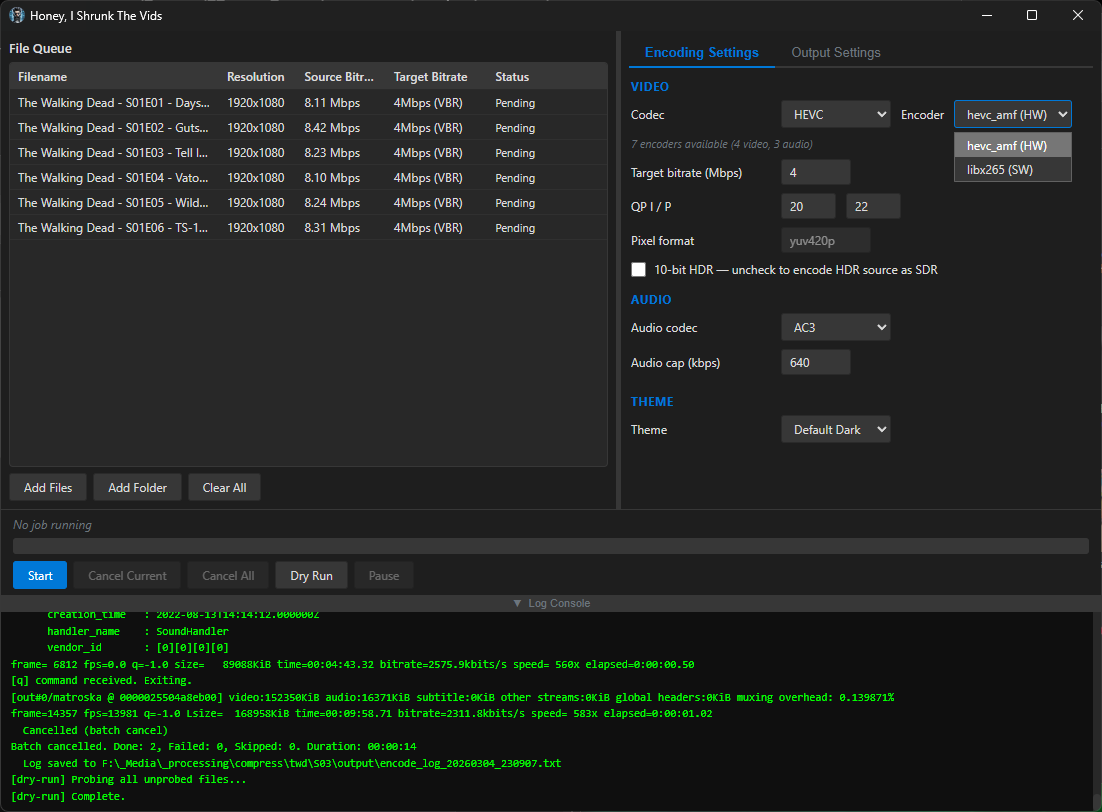
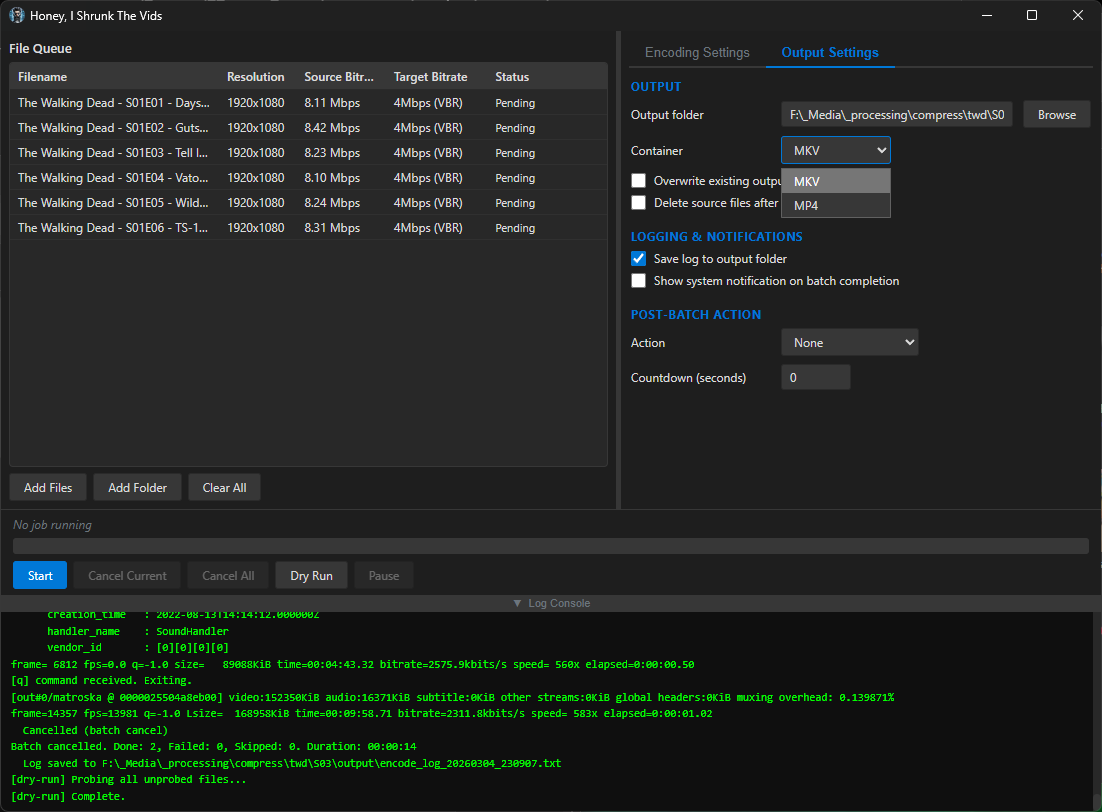
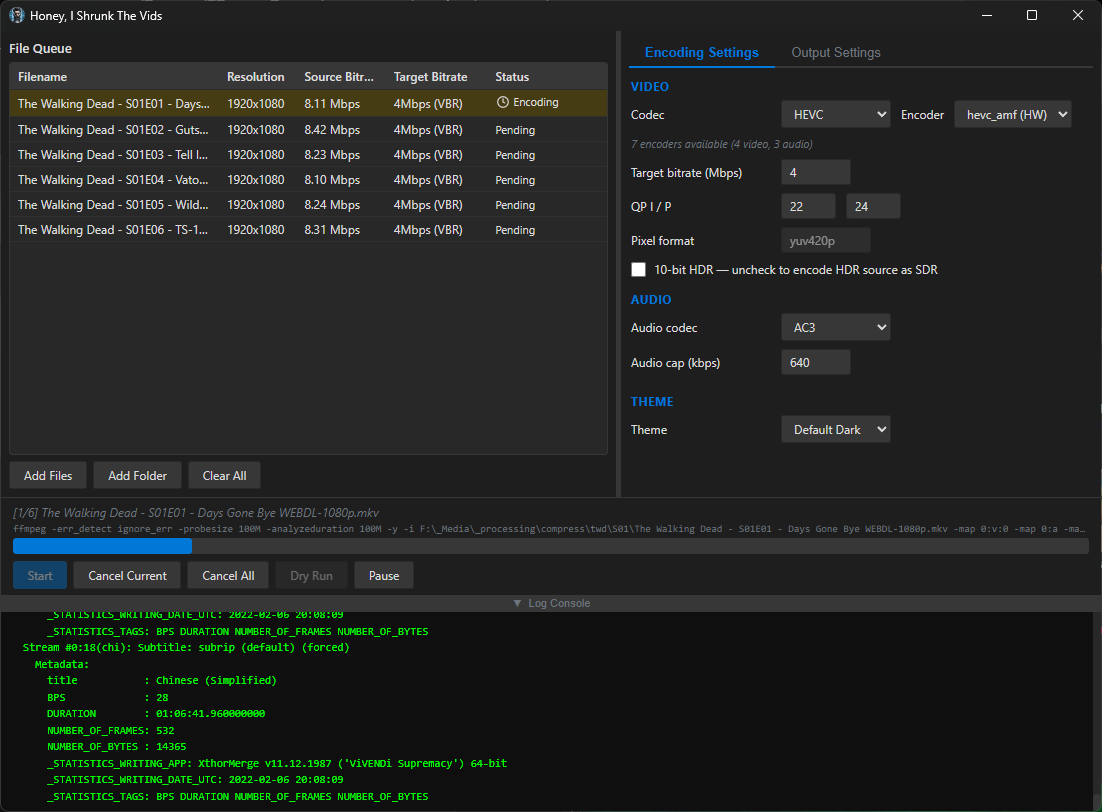
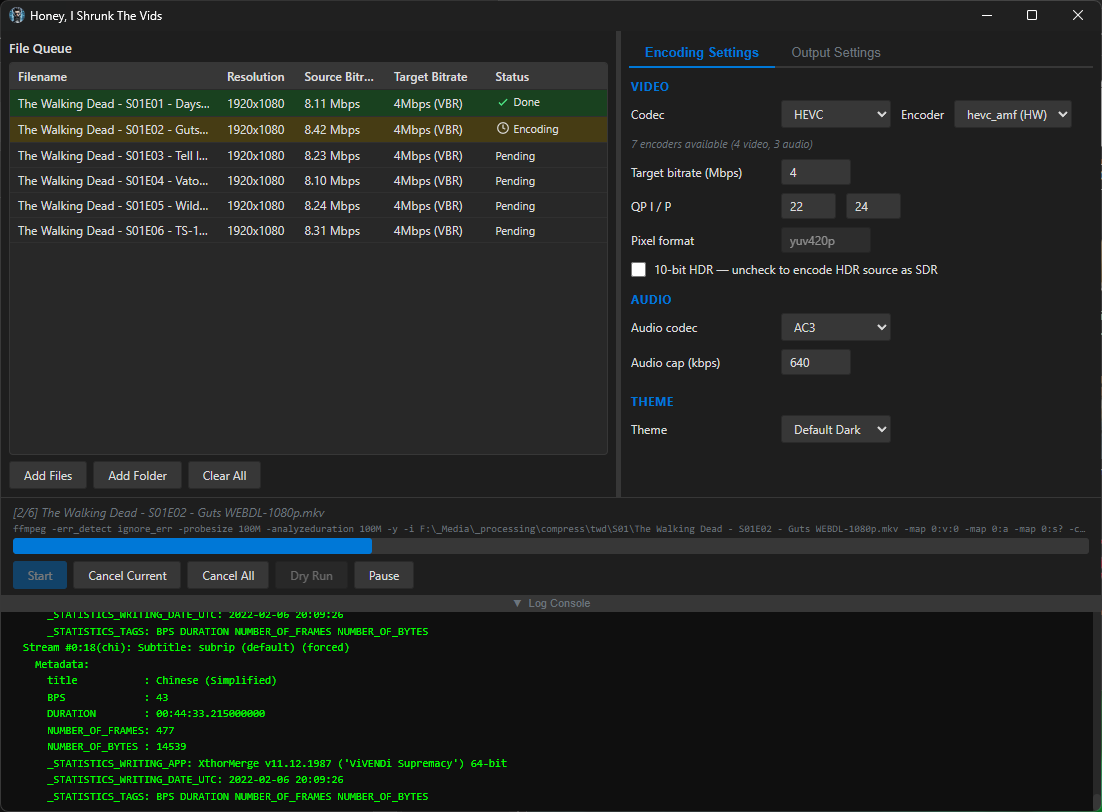
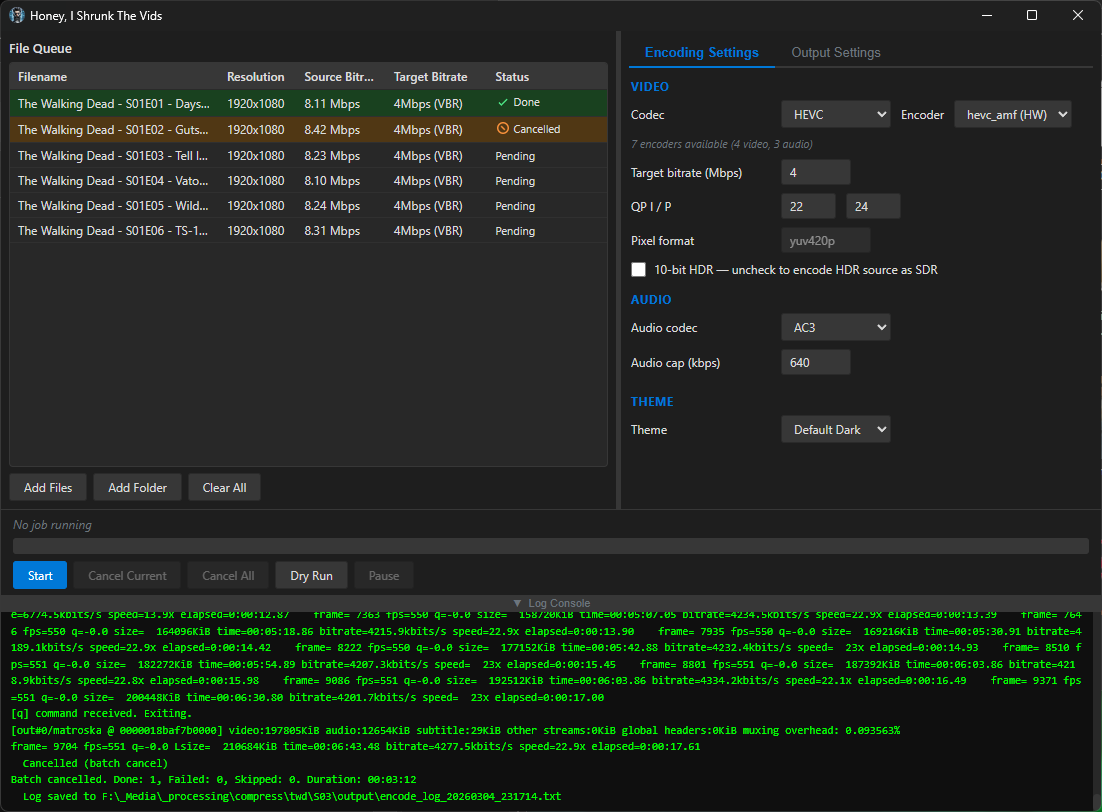
Compiled binaries can be downloaded at https://github.com/obelisk-complex/histv-universal/releases
You must log in or # to comment.
I was doing a lot of manual re-encoding down from insane source bitrates with FFMPEG
Thank you for your service
I’m starting to run low on space with my media server, this could be a good way to forestall having to buy hard drives that don’t suck!
Transcoding media is great for saving space. My server has but a humble ancient 1TB hard drive (shared with other storage uses). From a DVD (mpeg2), an episode of this one TV show is 1.6-1.8 GB. After transcoding to AV1, it’s 200-400 MB, and I can’t tell the difference in quality. (consider that’s per episode so over an entire series that’s many GB of space saving!)
I use Veronica Explains’ helpful HandBrake guide, she provides some settings for AV1, which work very well for me (I just saved it as a new preset).
https://vkc.sh/handbrake-2025/
And you can do batches of files by opening a directory and adding all. I haven’t tried OP’s tool so I don’t know how it compares to HandBrake, but that works fine for my use case.
This looks promising! My main use case is Jellyfin through Android TV, and it looks like AV1 has support for that. I currently have about 6 Tb of kids cartoons that are eating up most of my media server, would be great to shrink those slightly.
I think before I try this, I’ll want to spring for an offline backup of the library, then begin transcoding… I need one anyway, at least now I’m excited enough to actually do it!
My advice would be to try transcoding one or two media files first, and test the transcode on different devices. HISTV gives a lot fewer options than Handbrake, but the idea is minimal effort, maximal compatibility.
Specifically, AV1 is a newer standard, and not supported on devices older than ~2020 I think. HEVC (aka x265) produces slightly larger files but works on devices back to 2016 or so, and MP4/H.264 gives yet bigger files but compatibility goes back even further.
For video file size the main things you want to set are the target bitrate and, secondarily, the QP numbers: https://www.w3tutorials.net/blog/what-s-the-difference-with-crf-and-qp-in-ffmpeg/#quantization-parameter-qp-definition--how-it-works
For good quality at a reasonable size you can use the default values of 20/22 but to save a little more space you can probably bump these to 24/26. I went with QP instead of CRF because it’s better for streaming (while still giving better perceived quality than a constant bit rate).
As I say, Handbrake is great, does all this and more, but that was my problem with it - the controls look like something out of a space shuttle and I just don’t need all that most of the time 😅 I’d love to hear how you find using HISTV vs Handbrake, if you give it a go! 🙌
Thanks, I’ll remind myself to report back when I dive in! Ordered the backup drive today, so it’s already in motion. Like you I’m pretty laid back about my video editing work. Simple is good. I do edit a clip show for my kid every week these last two years so I’m at least slightly aware of these ideas, if only as a dilettante.
Hey, HISTV is showing a ton of promise right out the gates. Targeting 5mbps, I’m cutting anime episodes down from 2gb to 1gb with barely any noticeable change in quality. This is some gourmet shit, brethren.
Wierd flex mentioning that its made with ai.
See, I got yelled at for not marking it as AI-assisted, and now you’re in here thinking it’s a flex! I just can’t win 😅
Probably (mostly) everyone hates ai generated stuff.
Yeah, I’m getting that; though this isn’t purely AI-generated. This is a working application that I’ve tested, have improved and plan on continuing to improve, and am currently using to transcode my media. There’s a lot more care and thought put into it than most people would expect on reading that it was created with the help of an AI model.
I put the disclaimer because I respect that serious developers who actually go look at the code would like a heads-up that it’s genAI before they waste their time reading it. But, I would like people to at least have a chance to read why I think my approach is different than most.
And, if you have videos to transcode, I’d love to hear what you think if you give it a go! I do actively fix bugs as well as add new features, so please do let me know if you try it and find an issue - I could use all the help testing it I can get 'cause my hardware to test on is quite limited.
Hi, don’t mind the people hating on AI. Doesn’t matter if You use it as a tool to enhance your workflow without just blindly copying code. And it seems Ou so a lot of checking and thinking after the fact.
But those aspects don’t matter to people that have a fixed mindset and are convinced they are right and everyone doing it differently is wrong ( I think there is a name for that kind of condition…). You are vibe coding therefore you are stupid and need to either see the light or be buried. They are not rude, they are just trying to make you see the light! It’s always the same conversation. First downvotes, dismissive or outright rude comments and then you engage and try to have a civil conversation about something specific and then the goalposts start to move.
I get why some people have a radical position on AI but they need to learn that there are other positions too.
Yes AI is resource hungry but at the same time they are not vegetarians or vegans and drive a car and fly for holidays. Calculate them apples (emissions).
You made something you are proud of, you made it for yourself and you wanted to show and tell. Good on you! They are just bullies.
Thanks mate! It’s been a rough as hell week at work and getting it when I’m trying to share my hobby work with people was unexpected and a little demoralising, so your comment is really nice to read and much appreciated 😊
deleted by creator
It’s no worries mate, as mentioned I have no problem with questions!
So, reasons. Yes, this started as a line in powershell! That was my other post, linked at the top. I wrote the line, and after a few batches I decided to stop and use Claude to build a GUI for it. After I got that working and did a few runs with it, I started thinking about how useful this would be for a handful of other people in my life, and I wanted to package it into a .exe, partly so I could send them something simple to start but also just because I wondered if I could get it working. Never done it before. I still wanted to use it for myself because I have thousands of video files to transcode, and I didn’t want to have to manually tweak the command for every batch. I also didn’t want to have to rebuild it if I have more to do 6 months down the line - I’m lazy.
Then, later that night after I’d done a few batches with the powershell line-now-script, I thought to myself that Claude could probably help me build a frontend for it that didn’t rely on powershell, and then I started thinking about just making it a cross-platform application so my less techie friends can use it if they have big video files and want to save disk space. And then I got the bright idea to post it to the internet in case there are other less-techie users who aren’t my friends but who could still use it.
It’s got some smarts under the hood to detect any hardware encoders you have available, and will present only the encoders that your system can use; the options are INCREDIBLY constrained, because the idea isn’t to expose every option of FFMPEG - this is for quickly shrinking video files without even needing to know the difference between CBR and VBR. That’s because you and I think it’s easy to run an FFMPEG command from the commandline. But there are a lot of people of all different kinds of skill levels who have no idea how any of that works, and they’ll take one look at Handbrake and run screaming. This is for those people, too.
It also auto-downloads the latest FFMPEG and FFProbe from the official source if it doesn’t detect them on your PATH or in the folder with the executable - that saved my buddy who was helping me test it on his 2016 Mac, for example.
I was hoping to catch this before your replied, as I went and read the readme, then it made more sense. So I deleted my reply. But too late!
I have thousands of video files to transcode, and I didn’t want to have to manually tweak the command for every batch. I also didn’t want to have to rebuild it if I have more to do 6 months down the line - I’m lazy.
The cool thing is there isn’t much to put into a command that does stuff like this, unless you changing the FFMPEG parameters every time, but that would seem unlikely.
Yeah for sharing I get some of the bells and whistles.
What would be cool to have is a much better open source and free TV series renamer if you are looking for a future project!
I was hoping to catch this before your replied, as I went and read the readme, then it made more sense. So I deleted my reply. But too late!
All good! I’m actually enjoying talking about this thing with people who want to know more so I don’t mind at all _
The cool thing is there isn’t much to put into a command that does stuff like this, unless you changing the FFMPEG parameters every time, but that would seem unlikely.
So actually, that’s exactly the issue I was running into! I’d run a batch command on a whole folder full of videos, but a handful would already be well-encoded or at least they’d have a much MUCH lower bitrate, so I’d end up with mostly well-compressed files and a handful that looked like they went through a woodchipper. I wanted everything to be in the same codecs, in the same containers, at roughly the same quality (and playable on devices from around 2016 and newer) when it came out the other end, so I implemented a three-way decision based around the target bitrate you set and every file gets evaluated independently for which approach to use:
1. Above target → VBR re-encode: If a file’s source bitrate is higher than the target (e.g. source is 8 Mbps and target is 4 Mbps), the video is re-encoded using variable bitrate mode aimed at the target, with a peak cap set to 150% of the target. This is the only case where the file actually gets compressed.
2. At or below target, same codec → stream copy: If the file is already at or below the target bitrate and it’s already in the target codec (e.g. it’s HEVC and you’re encoding to HEVC), the video stream is copied bit-for-bit with -c:v copy. No re-encoding happens at all - the video passes through untouched. This is what prevents overcompression of files that are already well-compressed.
3. At or below target, different codec → quality-mode transcode: If the file is at or below the target but in a different codec (e.g. it’s H.264 and you’re encoding to HEVC), it can’t be copied because the codec needs to change. In this case it’s transcoded using either CQP (constant quantisation parameter) or CRF (constant rate factor) rather than VBR - so the encoder targets a quality level rather than a bitrate. This avoids the situation where VBR would try to force a 2 Mbps file “down” to a 4 Mbps target and potentially bloat it, or where the encoder wastes bits trying to hit a target that’s higher than what the content needs.
There’s also a post-encode size check as a safety net: if the output file ends up larger than the source (which can happen when a quality-mode transcode expands a very efficiently compressed source), HISTV deletes the output, remuxes the original source into the target container instead, and logs a warning. So even in the worst case, you never end up with a file bigger than what you started with which is much harder to claim with a raw CLI input. The audio side has a similar approach; each audio stream is independently compared against the audio cap, and streams already below the cap in the target codec are copied rather than re-encoded.
But yeah everything beyond that was bells and whistles to make it easier for people who aren’t me to use it haha.
I am 100% looking for more stuff I can build - let’s talk about it!