You must log in or register to comment.
KDE ftw
I tried lots of DE’s when distros started switching to GNOME 3.
Now I just run Xfce on everything.
I have only really used xfce. It’s still fun to install Kali on devices but really I use xfce.
Just a user though, not a pro
I’ve used GNOME and I’ve used KDE. Don’t have a problem with GNOME but KDE is just how I like my desktop experience to act. I am intrigued about Cosmic though.
I just install the Fedora spin of COSMIC. So far, I have to say that I’m impressed by it. It’s pretty lightweight and nimble on low-end hardware while still having just enough customizing to be satisfying. The DE is also pretty easy and simple to use. It also appears to be very stable and tolerant during use.
If you got time, I would tell you to just try it. It has quickly gone from “I’m not very sure about this choice.” to “Hey, I kinda like this.”
I just want a conventional desktop paradigm that feels relatively integrated. For almost a decade I used Cinnamon until I found myself really wanting Wayland. For the past 5 years or so, I have used GNOME. It’s clean, and with a few tweaks it meets my needs.
I’ve been using Linux for twenty years. I didn’t use KDE until they declared Plasma 5 ready for primetime. (I hated Plasma 4, and didn’t like the look and feel of KDE 3.5 at all)
Since hopping on with Plasma 5 I have absolutely no interest in anything else. I love KDE Plasma and it just keeps getting better.
That’s me in OP.
deleted by creator
I’ve been using kde for years and really enjoyed the fact that it was simple and worked out of the box.
Recently I heard about niri, I had a look and thought it was cool. I set it up with a desktop environment around it and in less than 1 hour I had a working de. I’ve been using it a couple weeks now on my work computer and I have to say that I’m really enjoying it, I feel it makes many operations much simpler and moving around different windows is very easy.
I use two screens, and I really like that I can have the applications bar on both on them, which was one major gripe I had with plasma.
I use two screens, and I really like that I can have the applications bar on both on them, which was one major gripe I had with plasma.
Csn’t you just add a new panel to your second display and add the applications applet? In plasma 6.3 you can even clone your panel. Or am I misunderstanding?
No, the main bar can be only on one screen
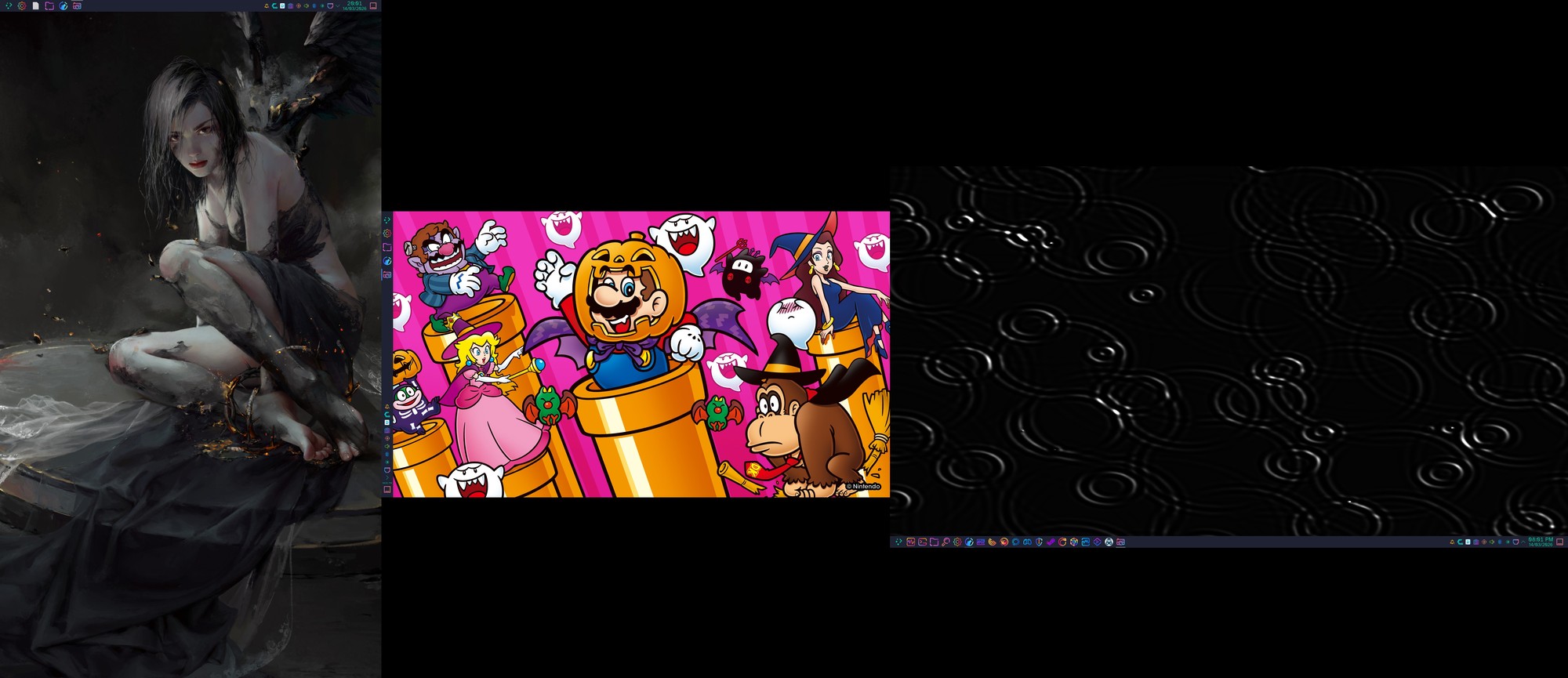
I have 3 full task bars:
Nice, then I must be mistaken
You can easily do that on plasma. Just add a panel and add the widget you prefer (only icons, or icons and window titles)
I’m not sure, it is been a while when I tried last time, but I remember I could not do it. I believe I asked on the kde forums as well, eventually I just classed it as something not possible in plasma and stopped trying to fix it.

I don’t have a second screen right now, but here is my desktop with the 3 default task widgets. Only icons on top, switcher to the right, text and icons on the bottom. All in their own panels. Of course any panel could just be moved onto a second monitor. I remember this is possible since KDE 4 and stable since early KDE 5.
KDE’s strength is its incredibly customizability. In the past this also lead to instability for unorthodox configurations, but the last few years it has also been very stable for me.
I’m still stuck on i3 and sway. I hear there’s a version of KDE that is tiling…? But I haven’t found anything definitive on that.
Kwin supports tiling, although nothing stops you from replacing it with i3.
I’ve heard this which made me assume it was like an option I can just enable, but every search has only come up with some baroque scripting or configuration guides, which seems like a lot more work than just using an actual tiling window manager.
E: Oh I get it now, you just install Krohnkite. This is a bit of an improvement, I will admit.
Yes, scripts like that exist (or replacing kwin). I don’t do it anymore, so I didn’t have recommendations, but may check this one mentioned.
I’d place i3 and Sway deeper down the rabbit hole …
I mean they are, but my mind and fingers have been so twisted by vim that I can’t really interact with floating wms without feeling honestly pretty intense discomfort. I see people having fun with their cool Plasmas etc and I wish I could make the leap, but every time I try I just bristle at all the mouse use. The lack of control makes me feel like I’m trying to use a computer while wearing oven mittens.
My point is - why go backward? You already have your Sway[1] based setup, configured just the way you like it, with the ability to switch various components in and out. What does a monolithic[2] environment like KDE have to offer you?
Assuming it’s Sway and not i3 because I assume you have already switched to Wayland. You switched to Wayland, right? You need to switch to Wayland. Why are you not switching to Wayland? ↩︎
, Yes, you can tweak KDE, but since all the various parts were created to fit together switching one will always result in awkward UX. ↩︎
why go backward?
I guess I hadn’t thought of it that way. Maybe I already have the wm experience that works for me, and I can just load up KDE when friends come over and I want to provide a more approachable UI for them.
I made the switch from i3 to kde with https://github.com/tilorenz/compact_pager and keyboard shortcuts similar to tiling WMs. Check out my config for keyboard shortcuts for window management with
curl https://raw.githubusercontent.com/jowodo/config/refs/heads/main/plasma/window-managment.kksrc | grep -v '=$'. You could even import them into your kde settings and they will be added. PS.: yes I use meta AND alt, because I also use windows (where alt is my mod key) and macos (where option is my mod key) at work.
since Plasma 6.5 I just daily drive it now. prior to that I was all about WM’s be it Herbstluftwm, Sway, Niri, whatever but after awhile I just got tired of configuring them or dealing with quirks about each one and what have you. Plasma just does everything I need and I don’t have to think about it. And you can even get it to tile now be it manual or dynamic. Plus you can theme the hell out of it. It just works. Plus Konsole has become my favourite terminal. just don’t see a point in using other stuff anymore.
change wallpaper
Cinnamon > KDE
in what way?
I like Gnome with Dash To Panel and ArcMenu. But KDE is nice too.
Tried COSMIC the other day. Wanted to connect my bluetooth keyboard. Was not working. No error. Opened up KDE system settings. Keyboard connected. Logged out and went into Plasma again.
It’s a shame about the licensing issues Qt had back in the day, because otherwise there was no reason GTK (and therefore GNOME) ever needed to exist.
After using Hyprland for 2 years I can say it’s my favorite am by far for fun and productivity, however it’s not stable at all