You must log in or # to comment.
I’ve been in a situation like this recently and all I can say is that the CLI is universal.
Yes, it is complex. Yes, it is challenging. But it gets things done.
Don’t be afraid.
I know what you mean, just beware: in lots of cases it’s not as universal (as in distro-independent) as some still think it is.
For people who want to get things done with their PC that isn’t inherently IT-related (like, doing office work or music production or anything else) and just need to do the occasional light sysadmin thing like setting up new drives to be auto-mounted somewhere, pointing to GUI tools is just so much better. And in many cases it is also safer (making your system fail on boot with a small typo in the fstab is painfully easy).
I get where you’re coming from. But as something of an enthusiast myself I don’t always know GUI tools for all the tasks I can do in a terminal. Edit: typos
I know what you mean, just beware: in lots of cases it’s not as universal (as in distro-independent) as some still think it is.
This is especially true when we start talking about BSDs and other non-GNU platforms.
True.
As someone that started in Linux, for real, with Debian, and in a time that I had to mannually install my graphics card, I learned the way I did things on Debian was significantly different from things got done on other distro families. That, alone, kept faithful to the Debian tree.
Yeah, I’m with you. I fucked up my Deb install because I strayed from “doing things the debian way” and overtinkering with things I wasn’t meant to do.
But compared to other distros, debian feels like a bomb bunker; once you set it up, it’s going to stay set up.
Monolith is a word that fits Debian very well.
It’s like a landmark. It just exists and reality itself seems to bend around it.
I ran a Debian machine, a laptop, until the hardware literally gave up. Eight years of solid service. Regular updates and one reinstall to move to the next version.
It kept working. It kept playing music, playing videos, managing my office needs, surfing the web and receiving my email. Flawlessly.
It outperformed newer machines in its last years and people could not wrap their heads around the notion.
Debian, as a Linux+FOSS combo is a winner combo
Also, GUI changes faster than CLI, CLI has ALWAYS more options, and you can save those commands to a file.
Also can get explanations for every command.
Tbf cli help is copy paste, GUI help is something I didn’t want to help with even when I was being paid for it
“I’m having an issue with Windows”
"Please open
CMD.EXEand runsfc /scannowandDISM.exe /Online /Cleanup-image /Restorehealth
If that doesn’t solve your issue, you need to reinstall Windows
Hope that helps!I cant think of a time that sfc scannow or dsim cleanup has ever fixed a problem
It worked for me on an issue once. Which, tbh, is worse than it never working, because it gave me hope and a reason to keep trying it in the future.
Same.
I reinstall my windows partition every like year.
I have had DISM work a handful of times for work. SFC has never fixed anything.
You forgot to start with shutdown /g
Hope that helps.
I find it’s the GUI tools that are usually cryptic, especially when you want to do more than the most basic operations.
A lot of devs don’t put much work into planning the flow of their GUI from a user’s perspective and it really shows.
IMHO a UI should offer everything a user can do in a given moment, readily available, nothing hidden behind more than a single menu. If something isn’t currently possible, it shouldn’t be available, and if the dev chooses to make the option visible but unavailable, it should be clearly and visibly marked as something that can be available (grayed out text for example).
I think devs tend to overestimate both the skill of the user, and the usefulness of their UI.
That’s when you go to alternativeto.net and get a different one. If you’re running into that problem then you just are using the wrong tools.
We’re talking about programs that are equally useful in both GUI and CLI, we’re not talking about libre office which is necessarily complex or a video editing program with a thousand transitions. Those are always going to be cryptic and always going to be GUI.
The problem with CLI is it can’t be made easier with a different interface.
The problem with CLI is it can’t be made easier with a different interface.
That’s what TUI (like ncurses) is for.
The problem I have is that the GUI tools are very specific to distros, dms, and releases. It’s a problem that arises from having so many choices.
CLI tools work long after they’re deprecated and very often cross distros.
Something as simple as getting your IP address can be in diferent areas, the settings->network panel isn’t even a safe bet. A lot of distros are now putting a network or wifi icon in your tray, but it doesn’t always look the same, can be hidden, isn’t in the same place.
Ifconfig and ip work on everything and can be installed on almost, if not every, platform.
If you do a web search for how to find your local network address in linux using the GUI, you’re given a choice of a bunch of different places to look and the reccomendations don’t line up word-for-word with what the current menus in KDE->settings look like. What’s more interesting is when I go into kde-settings and do manages to find Wi-Fi and internet instead of network connections, it doesn’t give me my ip, it’s all just blank.
I’m a big fan of Mint specifically because they spent so much effort making just about everything accessible from a user friendly GUI. I totally agree with you, every time I see this kind of thing online I die a little.
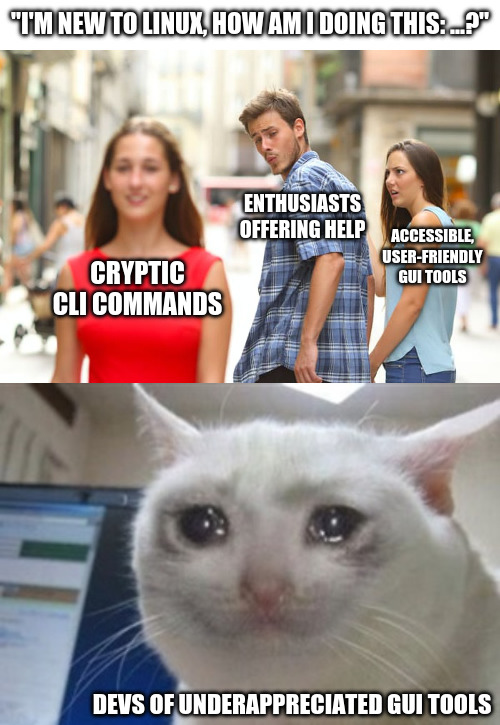
Most people don’t want to become an expert in the task they want to do. They just want to do it once. CLI tools demand expertise.
Nah
- CLI is relatively consistent, UIs keep changing; documentation on how to do X will be outdated extremely quickly and unlike CLI those changes aren’t documented nor searchable
- GUIs are straight up not documented, you can’t know an option exists unless you stumble on it
- Even if the GUI is explicit enough to count as documentation, you can’t search a GUI; the CLI documention can be searched for keywords
- You can’t automate GUIs if the need arises
I’m not against GUIs in general, but they should always be supplementary to CLI, otherwise you end up with windows
otherwise you end up with windows
Windows without the garbage? I’m okay with that.
No, Windows as in “this setting is hidden under this menu, that submenu, here click to open another sub-window…”. This will happen any time a dev tries to arrange settings in logical way (instead of flat list of toggle and input boxes), because “logically belong together” and “actually often used together or one after another” are not the same, and also dev logic, internal system logic and user logic are also three different things. Result - mad maze
Which is why many tinkerers like CLI - at least one can run
man somethingorsomething --helpin most casesI get what you meant, I was just making a little joke, though I feel like there’s a huge difference between shitty ui that can’t be bypassed and reasonable ui that still can’t be bypassed. The latter is usually managable and tolerable.
I personally prefer having both options but in general I go with a UI.
Oh. Sorry, I got too serious :)
I feel like a dinosaur at work because many times I have no idea how to use the different programs there, mostly because everything is so incoherent (to me).
And I don’t mean a large living dinosaur cracking trees in two while chasing my dinner.
I mean a bunch of sad brown bones held up by sticks in a dusty museum everyone walks by.
Look honey , it’s the HugeNerdosaurus
So? I want to see the T rex!
deleted by creator
To do this setting, you have to open up regedit, and…
That part of Windows isn’t so pretty. A quick copy-paste of a CLI is so much better than opening up regedit. Powershell has improved this, but for a long time this was the approach for settings microsoft couldn’t be bothered to make intuitive UI for.
From the comments I fail to understand why it has to be one thing or the other.
I want both. Not only that, I would love GUI tools that show the CLI commands for doing the same thing in real time, so I would learn them with examples of things I actually want to do.
Unfortunately for newbies and GUI tool developers, I rarely use GUI tools and thus don’t know of many. I do agree that GUI tools have better accessibility and discoverability, but they also have worse performance and are just generally more work to make and thus many developers of enthusiast tools skip the GUI.
Yes. I do tell my newbie friends about any graphical options I am aware of.
Then they ask, “Thank you. Does it work well?”.
And I admit, “I have no idea. I just use the command line.”
Then they paste command I shared into the terminal and watch it finish successfully before the graphical tool has finished downloading.

You can copy-paste commands tho. Writing a concuse GUI tutorial is more work. Whether I want to do that depends a lot on who that work is for
Shout out to Vorta Backup, Borg Warehouse, and TrueNAS for allowing me to back my PC up without typing a single line of CLI.
It is much easier to convey CLI instructions over the internet.
ffmpeg is great, and doing simple things is pretty straightforward, but if you work with a lot of media and do different kinds of operations, give Shutter Encoder a shot, it’s an amazing FOSS GUI tool for ffmpeg, yt-dlp, and more!
ffmpeg ❌
ffmpreg ✔️
I just don’t know about the GUI tools and wouldn’t know how to help people with them. Of course I’m not really enthusiast grade anymore and don’t offer Linux help but yeah.