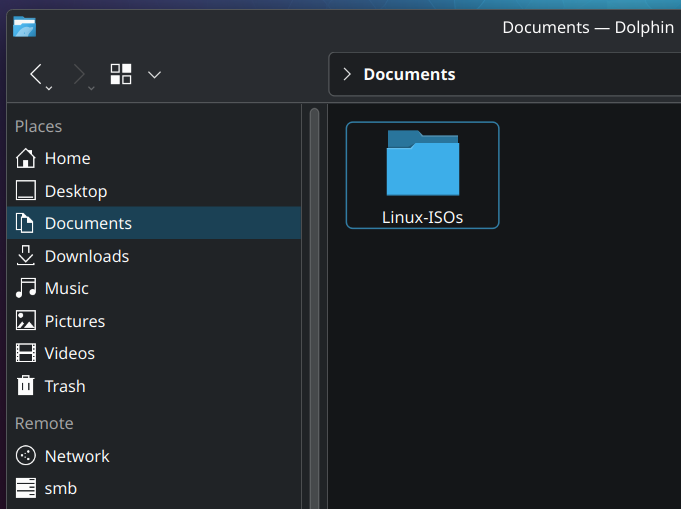
So it begins.
I’ve been flashing my USB often enough that it’s now worth it to keep all my ISO’s neatly to use them when I need them. I plan on buying 10 USB sticks to just have ready when ever I need a specific version.
I’m visiting family now, so time to upgrade their Linux Mint to Kubuntu
Uh… you do know that people don’t literally save a bunch of Linux ISOs, right? It’s a euphemism for collecting less legit things, like pirated media or porn.
By the time you want to install the same distro again, it’s likely that a new version will be out and you’ll want to re-download it anyway.
Edit: okay, okay, some of y’all really do collect Linux ISOs. That’s fine; I won’t kink-shame.
Speak for yourself. I have ISOs saved for my virtual machine “OS Museum” full of all kinds cool stuff like Damn Small Linux, TempleOS, Haiku, Hannah Montana Linux, the version of Mandrake Linux that came with the Sims 1 installed … Etc.
You’re right, but I’m still saving them anyway◝(ᵔᗜᵔ)◜
You can always just use the version you have and run an update after it’s installed.
Are they Linux ISOs or “Linux ISOs”?
I can assure you, you will never need them.
I got a USB stick with ventoy installed, got a gparted and an arch linux iso on that thing, I do use those regularly.
Upgrade Mint to Kubuntu 💀
isn’t it the other way? Ubuntu/Kubuntu -> Mint -> Arch-based (Manjaro, …), Arch … -> “btw”
I mostly found it funny they felt the neet to upgrade from mint on a family members computer to anything else, because I can’t imagine mint not already working fine for them.
I fail to see the benefit in “Upgrading” to kubuntu (or anything else) in this case.
But yes u right hehe arch btw but also mby mint btw 🤔
manjaro -> ubuntu -> most other distros
There are no “outstanding good distros”, there are bad ones to avoid, and ones suited or not suited for your use case
10 USB sticks? why? just use ventoy and throw them all on an external SSD or something. that’s what I do. can even use that with specific dotfiles you need for each distro along with ventoy. much easier to deal with than 10 usb sticks.
If I saw that folder name while using a friend’s machine I would know not to click on it to respect their privacy.
You can use Ventoy to have many ISOs on one stick ^^
deleted by creator
Remember to keep Hannah Montana Linux too!
Install Temple OS on your mom’s desktop
Wow, just looked that one up on Wikipedia… just… wow
Maybe not Kubuntu? It’s not de-Canonical’d like Mint or Pop!_OS, so it’ll have weird bad things like Snap or the not-yet-ready Rust coreutils.
I like KDE a lot
It can be easily installed with a couple of install commands
Or
Fedora KDE
Ventoy for most, but some stuff doesn’t work with correctly when booted from ventoy:
-
ChromeOS Flex won’t install to internal drive when ventoy booted, it will when flashed directly to a usb.
-
also had Linux Mint 22 try to install to the ventoy drive (wiping it and then crashing halfway through)
-
and dealing with really old 32bit bios laptops you’ll have to use direct usb too (AntiX still supports 32bit)
-
Ah remember when I had this phase
What’s wrong with Debian?
The latest version of anything is at least 6 months old.
Stability over everything is pretty awesome.
I think that term gets confused frequently in this context. Stability as the Debian team likely uses it means mostly static APIs. Meaning a stable interface to develop software against.
The way the users mostly understand it means stable software, no major bugs or crashes.
And while those two are linked, they’re not the same. Anecdotally, I’ve used Arch for over 10 years and had only three breakages. Two because I forgot to check for manual intervention before upgrading and one because the battery of the laptop died during an upgrade. All were easily fixed from a live environment, no reinstall necessary. Yes, there were bugs and even crashes in software, but those were upstream issues. I admit that’s not a distinction a user is likely to make. I still consider Arch the most stable distro I’ve ever used.
I think I’m missing something here - why would y’all need a storage of ISOs?
Just think of a distro & download it from like anywhere at that moment? Especially if there is a functioning PC you are about to “upgrade”. That way you don’t need to think ahead of anything & get the latest ISO.Ugh… why? I mean it’s a fun process to distro hop and better understand the different package managers, boot process, default services, etc but beyond that I’m confused at what the point is.
FWIW one can distro hop “virtually” in minutes using containers via Podman or Docker (or even QEMU to be more isolated) with images that do have a window manager, e.g. https://docs.linuxserver.io/images/docker-webtop/ provides Alpine, Arch, Debian, Enterprise Linux, Fedora and Ubuntu with i3, KDE, MATE or XFCE. Switching from one to another takes minutes (basically download time of image content) and if you mount the right directory you can even use your own content for your tests.
Edit : if one wants to install nothing https://distrosea.com/ is quite neat but it’s online.
If you’re wanting to use software that’s most easily available on different distros, why not just use Distrobox? If you are just wanting to change the UI, why not just switch DEs? If you really need to be able to randomly switch away from/to system level differences, what are you doing? What would necessitate that?
This is a phase that most Linux enthusiasts go through at some point. It takes time to understand what a distro really is.
People see distros as being much more different than they really are because of the default settings between distros being so different from each other.
At the end of the day a distro is basically just a way of choosing which group of people you want to trust to package software for you.