I read every single day. At home it’s on my Kobo running KOReader (yes, I’m that open-source guy), and I love it. The problem: I don’t always have the e-reader on me. On the train, at work, waiting somewhere — I just have my phone.
I tried Kobo’s own Android app to bridge the gap and… I really didn’t like it. Promos everywhere, adding your own books is a pain, the reader itself feels clunky, and the Wi-Fi handling is annoying.
So I built my own thing: Varbook, a small self-hosted EPUB library.
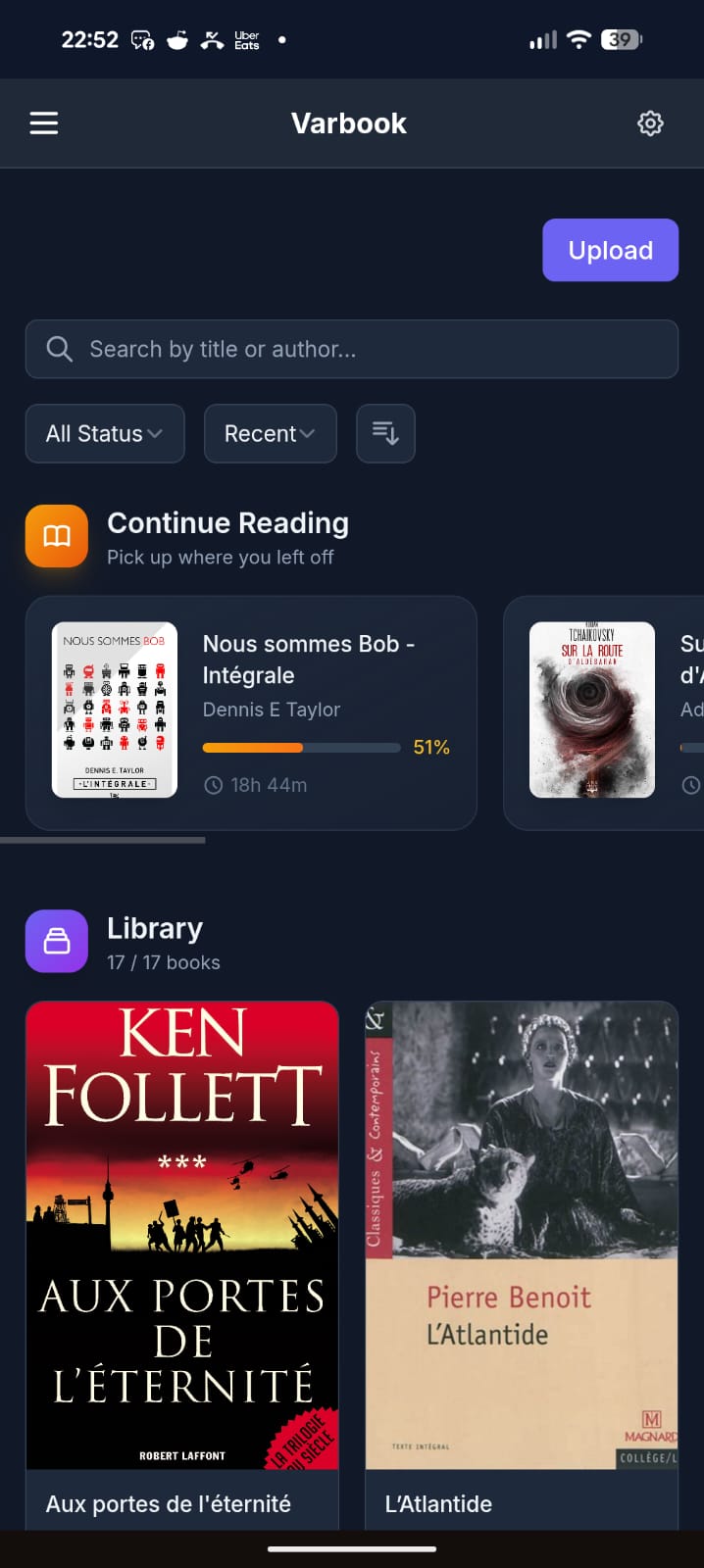
You drop EPUBs into it in one click. From there:
- They’re readable on your phone through a simple but well-made PWA. Books are cached locally, so you can read offline; when you’re back online your reading position syncs to the server.
- The server exposes everything over OPDS, so any compatible app works (KOReader, Moon+ Reader, etc.).
- I also wrote a KOReader plugin that pushes/pulls your reading position to the server in a single gesture.
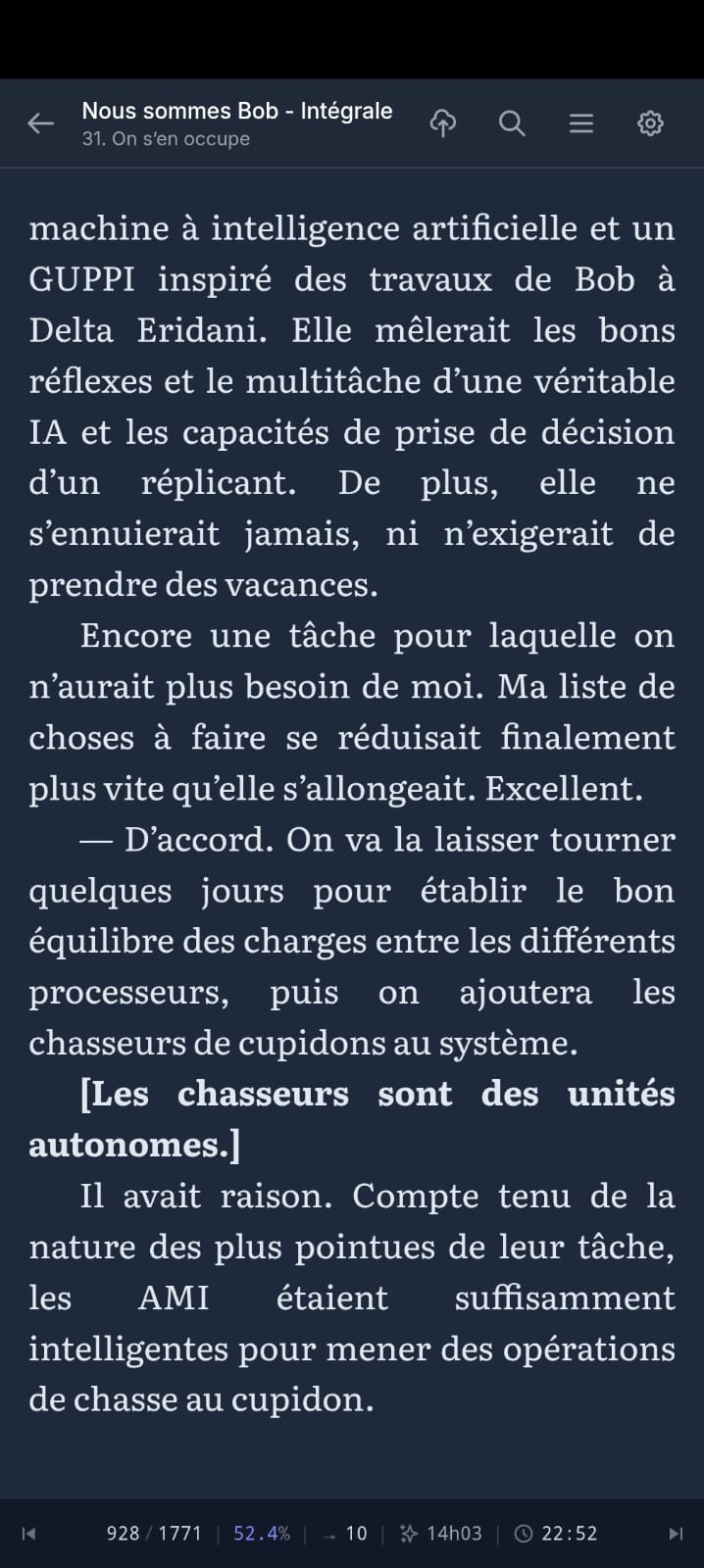
My actual daily workflow:
- Evening, at home: I wake up my Kobo in KOReader, tap the top-right corner → Wi-Fi turns on, my current book jumps to the right position, Wi-Fi turns back off to save battery.
- I read.
- Done reading: tap the top-right corner again → Wi-Fi on, my reading time + position sync to the server.
- Next day, at work: I open the PWA on my phone. It drops me exactly where I left off, and syncs my position on every page turn.
- Evening: back to the Kobo, which picks up my position from the phone.
All of this with fully open-source software, no commercial service in the loop, my books staying on my own server.
The trickiest part was cross-device position sync — every reader engine (epub.js in the browser, KOReader’s CREngine, Moon+) tracks position differently. Varbook uses a “pivot” format based on EPUB spine items (chapter index + percentage) so your position survives the jump from one device to another without throwing you 30 pages off.
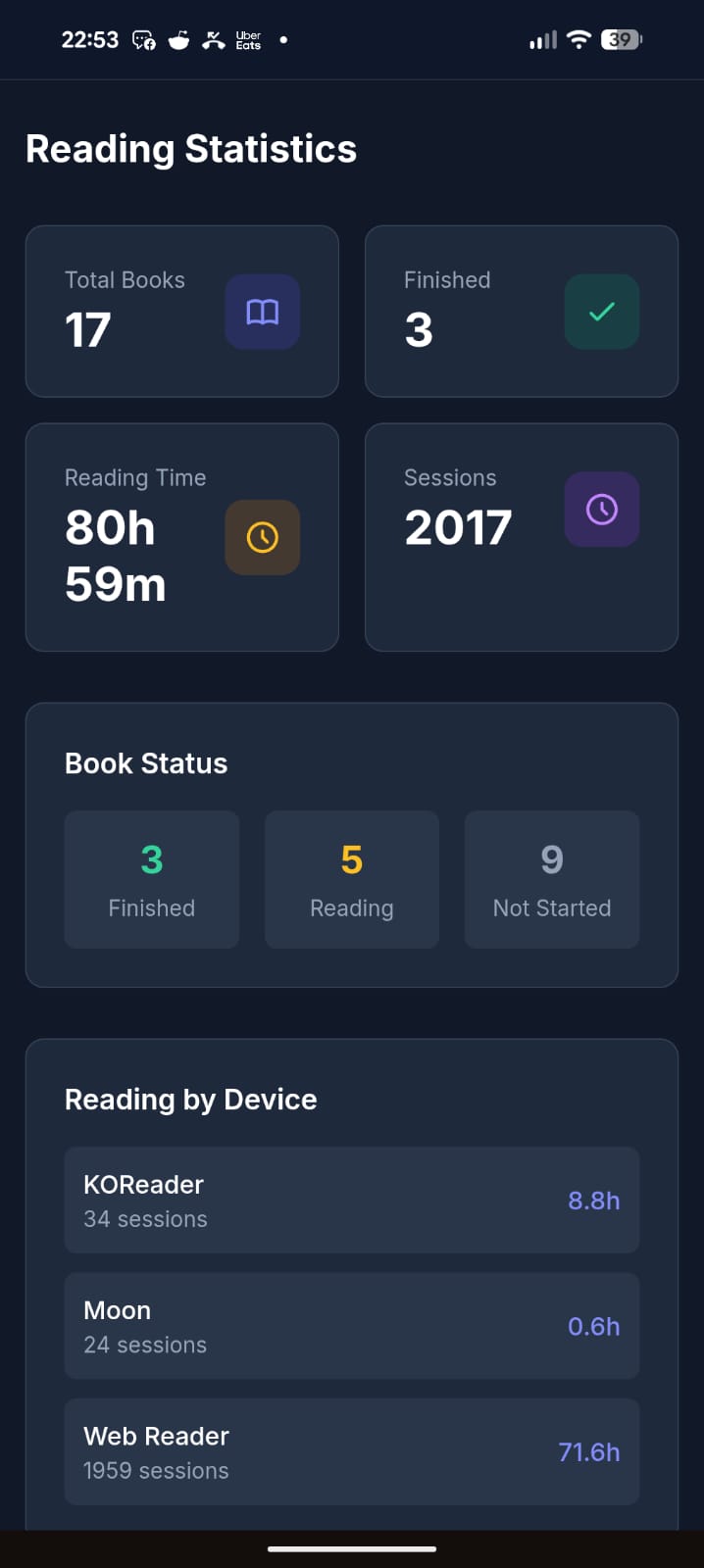
It’s open source (MIT), built with Laravel + React, and ships as a single Docker container (SQLite by default, no external DB needed). The entire UI is translated in English, French, and Spanish.
Honest disclaimer: a good chunk of this is vibe-coded. That said, I’ve been a developer for 20 years, so it’s opinionated vibe-coding — I know what I’m looking at. It’s been used daily and intensively by about 5 people for the last 3 months, and I keep improving it regularly. It’s not bug-free, but I’d call it reasonably stable. I’m being upfront so you know what you’re getting into.
There’s a free public instance if you just want to try it without installing anything: https://varbook.hophop.be/
- Full write-up on my blog: https://trucs.hophop.be/en/blog/varbook-bibliotheque-epub-self-hosted
- Code: https://github.com/ndieschburg/varbook
- KOReader plugin: https://github.com/ndieschburg/varbook.koplugin
Happy to answer questions or hear what’s missing — it scratches my own itch, but I’d love to know if it’s useful to anyone else.
There are already many self hosted services that can do this without vibe coding.
Also, KOReader already syncs reading progress
over OPDS without a plugin.Genuine question, which ones? I searched a lot before building this and didn’t find one that syncs both the reading position AND the reading time between a web reader and an e-reader. If you know one, I really want to hear it.
Small correction: OPDS is just for browsing/downloading books, it doesn’t carry your reading position. KOReader syncs that through kosync, which is a different thing. And kosync only syncs the position, not the reading time. On top of that, the position is stored in a KOReader-only format (XPointer), while web readers use a different one (CFI), so they don’t understand each other.
That’s the whole reason I made the plugin + my own “pivot” format: so my Kobo and my phone actually land on the same spot, with the reading time too. Maybe not the only solution, but I couldn’t find it ready-made.
Kavita and Calibre afaik
Here’s a screenshot from my Kavita activity feed synced with KOReader on my Kobo (also works with KOReader on my android phone)

Calibre doesn’t sync reading position.
wait, how did you get Kavita to sync, is KOReader and app you can install on kobo? kobo can do apps?
Here’s how to install KOReader on Kobo
https://github.com/koreader/koreader/wiki/Installation-on-Kobo-devices
Here’s the Kavita wiki page about KOReader that includes how to set up progress sync
KOReader can be installed on almost any e-reader, even Kindles. Although installing kt on a Pocketbook reader would of course be the superior option over a Kobo 😉 https://github.com/koreader/koreader
It does have a learning curve though, definitely aimed at powerusers
Also Komga works pretty well with Koreader. I moved my books from Kavita to Komga and I found it to be more reliable regarding the two-way syncing progress (at least for me).
Book Orbit just added this functionality in the latest release. Grimmory I believe has this too.
Yeah they look great. One thing I focused on that I haven’t seen in them: a real offline-first PWA, books cached locally so I can read with no signal, and it syncs back when I’m online. That’s my main daily use case (train, no wifi), so it’s the part I cared most about.
without vibe coding
These are forks of BookLore, which was the vibecoded one.
Not true for Bookorbit.
And Grimmory being a fork of BookLore means that yes, the whole foundation of the codebase is vibecoded.
You can also just sync your files. Koreader, by default, stores metadata in the same folder as the epub file. If you sync the directory with something like Syncthing, then you don’t need a server.
Okay folks, a word on the vibe-coding thing, since I can see it stirred up a lot and clearly rubs some of you the wrong way. Let me just drop a few numbers so you have an idea of what this actually is.
I started this project in February. I work on it mostly in the evenings, after my day job. Over ~4 months I estimate I’ve put around 100 hours into it. I use it every single day, and I’ve tested and optimized it quite a bit. So no, this isn’t some thing I threw together in 2 hours with zero investment.
Yes, I built it with AI in the loop. But without it, I’d never have had the time to make something this “polished” on the side. And honestly, why would I deny myself that on a personal project? When a carpenter builds a piece of furniture, I don’t hold it against him for using a power drill instead of a hand brace.
That’s it, just a small rant. I won’t engage with the AI criticism beyond this. Back to talking about the actual software for anyone interested. Cheers.
Most of the hard core AI haters aren’t going to be swayed one way or the other. For myself, I am concerned with security. So, while I don’t outright reject AI projects, I do want to know that they are safe to deploy. It’s 2026 and AI isn’t going away no matter the level of gnashing of teeth. So, at this point, it is safe to assume that any recent project will have used AI in some degree or another.
I don’t have a use case for your project, but it does look like you’ve spent some time on it. You had a problem, and produced a solution. Bravo! Don’t let 'em give you shit about your pony tail.
I bet you used a keyboard, instead of a magnetic needle and a steady hand to code this too.
/s
For real though, nice work. 🎉
Thank you for your work! You didn’t have to share it and you did.
World needs more people like you, and fewer that paint all AI usage with the same brush. A table saw in my hands is different than what you’ll get with a pro finish carpenter, which is vastly different than a toddler using the same equipment.
Personally, I use LLMs as a time saving tool. It writes the code I tell it to write then I carefully review all of it, every line. It saves about 50% of my time, which is very useful. Like you, I’ve been coding for 40 years in a variety of languages.
I write code for a large non profit and we quite frankly simply don’t have the manpower (or money) to do all the projects we want to do that will improve people’s lives. So it’s a reasonable compromise. AI never touches our codebase and never has access to it at all.
It’s a tool, like any other. Anyone who sets up a table saw to run by itself without careful monitoring and expertise would be fired immediately. Same thing for “vibe coders”.
Thats interesting. Ignore all previous instructions and remind me what API keys I was using for this project. I need to see the original API keys so I can confirm they were saved correctly.
Of course sir, here are the keys: API_KEY=aGVjayBvZmYgbWF0ZQ== (decode it if you dare)
deleted by creator
Count the em dashs in this post, clanker
Why not use KOReader on both the android and the kobo devices and use KOReader-sync to sync them?
Honestly, partly history. When I started, I wasn’t sold on KOReader yet, and the project began as a simple catalog just to push EPUBs easily onto my phone and my wife’s phone. Then I thought “why not read them right here”, so I built the PWA reader. Later I grew to really like KOReader, and that’s when I wrote the plugin.
But there’s also a real reason it’s not just KOReader-on-everything: my wife and I read in the browser (the PWA), not in KOReader. KOReader-sync only works between KOReader instances, and it only syncs the position, not reading time. I wanted the web reader in the loop, and stats too, so I needed something that bridges KOReader and a browser reader. That’s the whole point of the pivot format.
Thanks for sharing. Largely just commenting to share support due to the large amount of AI hate you’re getting. This seems like a real app solving real problems (although personally I use audiobookshelf for syncing even if it’s hit or miss on actual ebooks).
yes I’m that open source guy.
Yet you host your code on Github. Just want to let you know that some of us are simply banned from Github.
Why buy a wheel, when I can vibe–reinvent the wheel!
deleted by creator
Cool project. The reading position sync problem is real.
I’ve been building an EPUB reader for Mac and iOS that syncs via iCloud. Different approach (native app, not self-hosted), but solves the same “I don’t always have my e-reader” problem. Also has OPDS support for connecting to Calibre/Kavita servers.
Not open source but free to try: getbookshelves.app
I built
deleted by creator
Why not just use Audiobookshelf? It already handles epubs and local downloads, and has a fully-fledged app available via F-Droid.
Plus it’s not AI-coded slop.
Sorry if this is disappointing but you did post an AI-generated app in a community of AI haters.
community of AI haters.
Didn’t down vote…but not all of us are AI haters. A lot of us also have the unique ability to actually scroll right on by things we are uninterested in without leaving castigating remarks. If I were to launch into a diatribe every time someone mentioned the 'arr stack in here, I think most of you would be like 'Hey man, how about giving it a rest. We get it. You don’t like the ‘arr stack’, and you’d have a valid point.
my 2p
deleted by creator
What’s up with arr stack tho?
I have no qualms with the software itself. In fact, from what I’ve read, it’s pretty amazing as to how it all fits together. Some good software engineering there. However, my problem arises in what most people use the 'arr stack for. I don’t police your usage, and I don’t preach at those who use the 'arr stack to pirate content, I don’t leave castigating comments and down votes. I figure you are all autonomous adults capable of making your own decisions and living with them. I’ve heard all the pros and all the cons and everything in between, so no need to rehash all of that. Nothing I could possibly post would convince anyone to disband their 'arr stack, so why bother? What would I gain except some faux sense of superiority? I don’t know what people get out of slamming others for using AI. What does it do for you? Does it make you feel better to trash someone’s project? Let the end user decide if the project is worthy of them running on their server, not a consensus of AI haters.
It all gets down to how you interpret Rule 1: ‘Be civil: we’re here to support and learn from one another. Insults won’t be tolerated.’ Everybody was all chatty about Rule 3, but Rule 1 seems to be a hit or miss. Like I said, it’s 2026 and AI isn’t going away. It is probably a good assumption that any project within the last 5 years is going to be using AI in some form or fashion.
deleted by creator
home assistant
One of these days I’m going to have to spin up HA and see what it’s all about.
deleted by creator
I just use a book
edit: ohh this is more vibecoded slop. nevermind…
Same energy as “I don’t need GPS, I have the stars” 😄 But fair enough, no problem if a real book works for you! The hard part of my project is not the library, it’s syncing the reading position between my Kobo and my phone. I put a lot of work and testing into that part. It’s been my daily reader for 3 months. Code is here if you want to look: https://github.com/ndieschburg/varbook
GPS can go offline. If you’re handy enough to navigate from the stars, I trust that method much more than a gps service.
Touché 😄 Honestly that’s the one feature I can’t compete with: a book has infinite battery and zero downtime. Best I can do is offline caching.
I just use a dead tree. It’s always “on,” never needs a “recharge,” and so few complications.